

Note: The App has not been put public as yet and may never be, hence I have decided to show it as a case study.
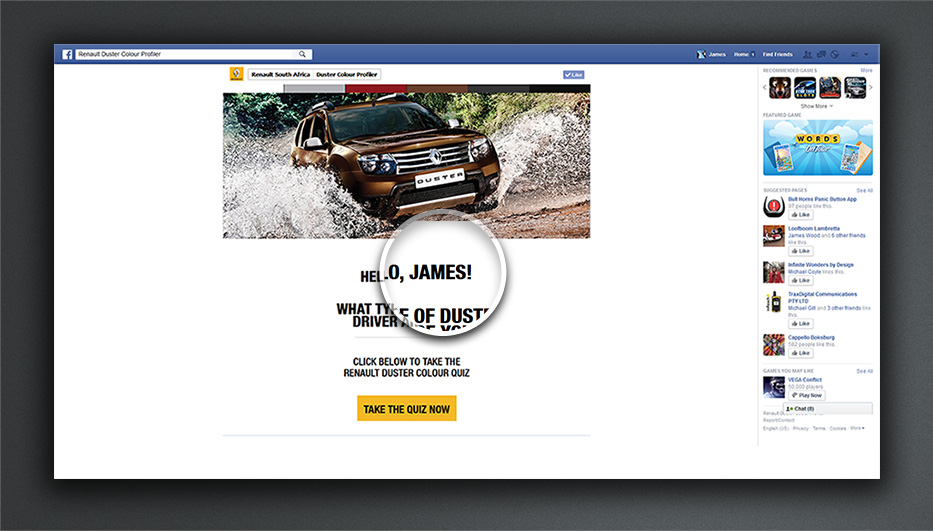
Step 1 – see image labelled “Step 1” below for details
- When the app started is was required to get the users name to provide a personal greeting.
- The quiz would begin once the “Take the quiz now” Button was pressed.
Step 1
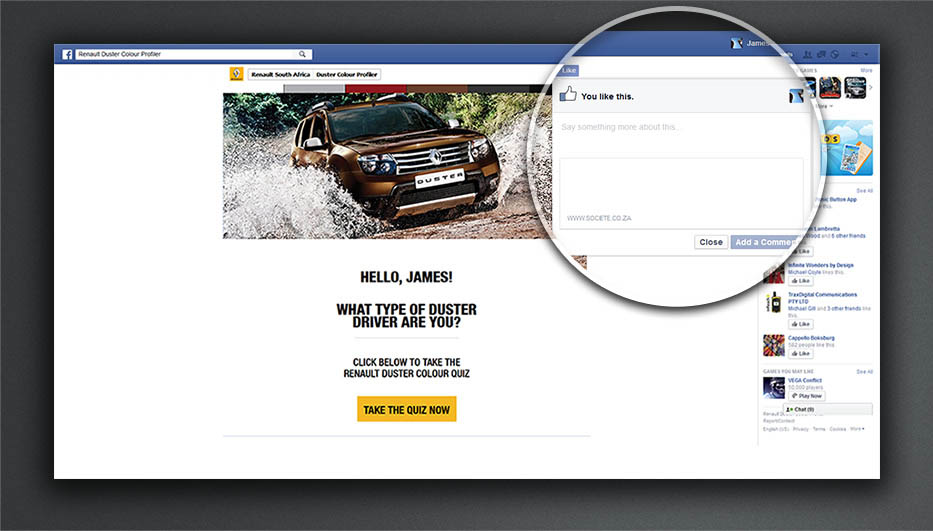
Step 2 – see image labelled “Step 2” below for details
The like button here had to have two functionalities.
- The first was to simply press like and like the app .
- The second was to have the ability to like and comment on the app.
Step 2
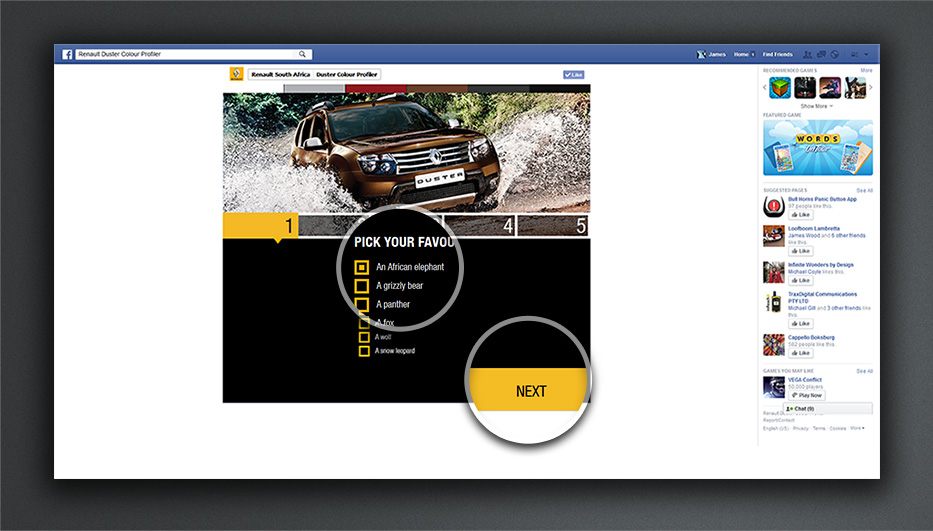
Step 3 – see image labelled “Step 3” below for details
Here is where the quiz begins.
- The user would have to choose an option from the multiple choices.
- The next button would then become visible allowing the user to continue to the next question.
Step 3
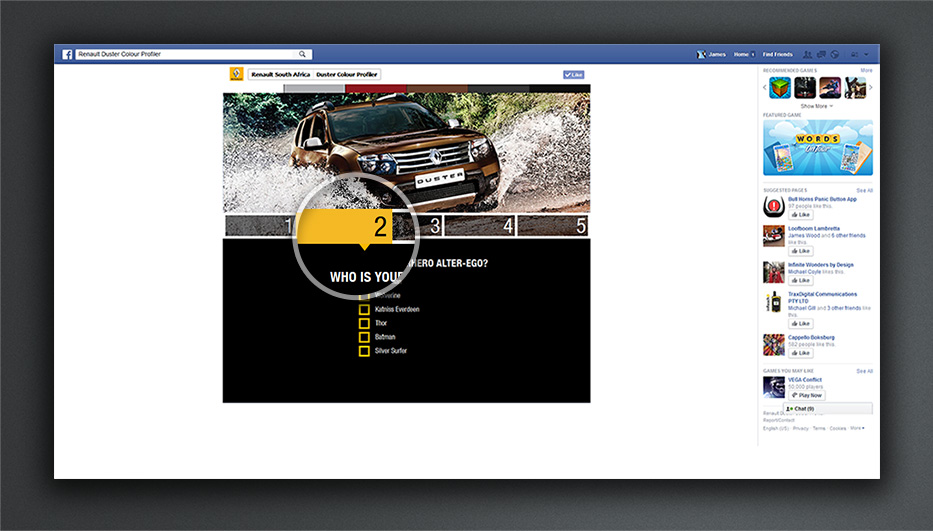
Step 4 – see image labelled “Step 4” below for details
The app would move on to the next question and the process would be repeated till all answers were answered.
Step 4
Step 5 – see image labelled “Step 5” below for details
- At this point the entire page would fade gracefully into the screen seen here.
- All The images and text elements would have been decided by the final score which the user achieved.
- Another requirement was to have the iframe resize to fit the new content as it was slightly larger in length.
- There was also a need for a custom share button which would open a modal dialogue within the page as seen in step 6.
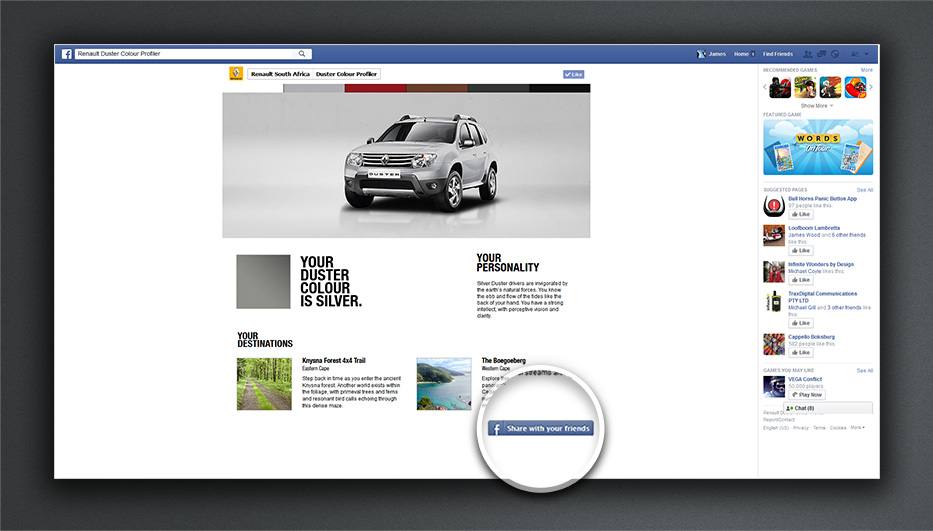
Step 5
Step 6 – see image labelled “Step 6” below for details
- The final requirement was the ability to have a custom image, header and body test.
- The body text need to show the score that the user got during the quiz to allow the user to share their results with their Facebook Friends
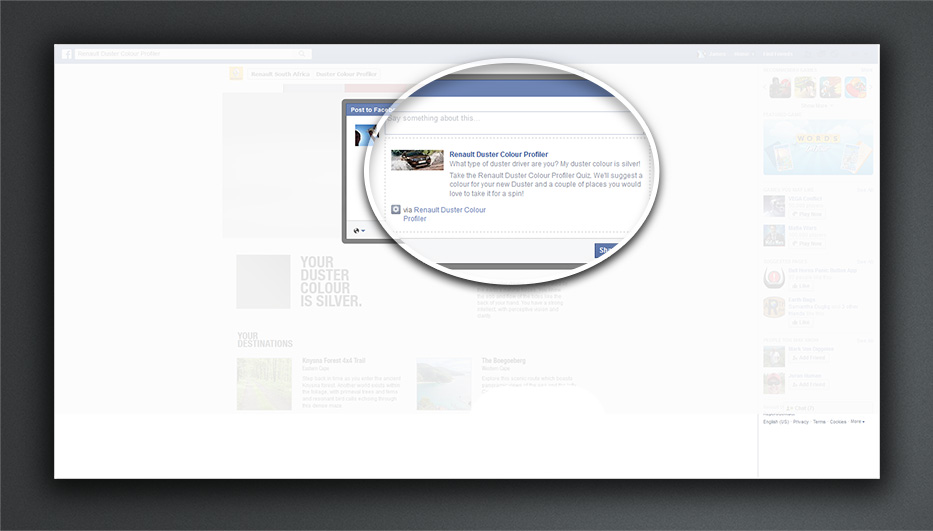
Step 6